Photodex
Find the photographs worth keeping.
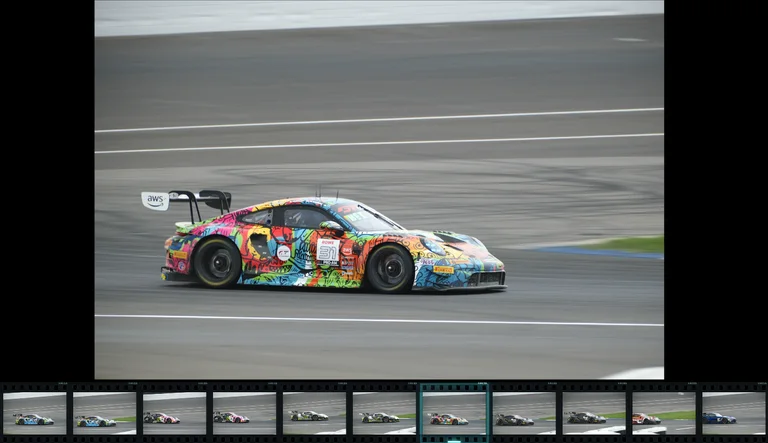
Browse, arrange, edit, and review local photographs in one workspace. Switch between photo cards, film contact sheets, natural-proportion masonry, a focused side-grid viewer, and freeform mood boards. Crop and adjust photographs without changing the originals, then turn selected shots into social photo grids, collages, contact sheets, or edited copies.
What you can do
Choose your view
Choose photo cards, connected film contact sheets, masonry, Focus with a side grid, single-photo viewing, or selected-photo comparison.
Build a mood board
Create freeform mood boards: move, resize, tilt, layer, and snap photos. Send the composition to Photo Sheets for custom-sized images, PDF, or printing. Use solid or transparent backgrounds and save or load reusable layouts.
Edit your photos
Crop, rotate, flip, straighten, and adjust color for selected photographs or an entire set. Add custom frames while preserving the original files.
Inspect and review
Find visually similar shots by appearance, color, or composition, compare near-duplicate candidates, and select match sets for review or batch editing. Inspect with a loupe, add notes, and extract photo colors into an exportable palette.
Export your work
Pack selected photographs into social grids, collages, and contact sheets. Set exact pixels or print dimensions, customize grids and crops, and export one image, matching sheets in a ZIP, or a PDF.
What you can make
Shoot selections
A keeper selection from a recent shoot.
Travel archives
A trip recap packed into one social post or a matching set of photo sheets.
Frame comparisons
Side-by-side comparisons of alternative frames.
Portfolio groups
Color-labeled groups for a portfolio edit.
Review handoffs
A CSV handoff of filenames and review decisions.
Proof sheets
Printable proof sheets for offline review.
Project ideas
Review a shoot, mark keepers, and export the selection decisions as CSV.
Select a trip’s best photographs and export matching square or portrait grids for a social post, or print a contact sheet.
What sets it apart
RAW/JPEG pairs appear as one photograph while retaining their original files.
Local preview caching and bounded original decoding support large photo collections.
Supporting capabilities
Basic folder browsing and viewing are available in preview. Comparisons, ratings, analysis, settings, and exports require the $10 Photodex license or the Creative Apps Pass.
Best used on a desktop browser. Folder selection uses the browser folder picker; photographs are processed locally.
RAW-only previews currently support Fujifilm RAF files. Other RAW formats need matching JPEGs.
Review decisions are saved in this browser. Export a CSV to keep a separate record.
Native file copy, move, and Recycle Bin operations are available only with the local Windows service; the website provides review and export.
Why use Photodex?
Local photo browsing and culling, with paired RAW + JPEG originals and Fujifilm previews.
It connects with the wider Panospace creative workflow, so results can keep evolving across compatible apps.
Inputs and exports
Supported inputs
Local image folders
RAW/JPEG pairs
Fujifilm RAF embedded previews
Available outputs
PNG, JPEG, and WebP photo sheets
Matching sheets ZIP
Photo PDFs and print sheets
Edited photo copies and review CSV
Color palettes