Block Builder
Build a miniature world, block by block.
Build and paint 3D architecture, environments, and sculptures. Construct by hand or start from an editable generated structure, then develop the scene into a finished image or an interactive build people can explore.
What you can do
Construct with block shapes
Build towers, rooms, platforms, roofs, and stepped forms from a range of block shapes, developing both the exterior silhouette and the spaces inside.
Paint surfaces and transparency
Paint surfaces and window lighting to turn a simple structure into a graphic skyline, luminous city, or colorful geometric sculpture.
Generate editable structures
Generate editable starting worlds and explore related variations of their structure and palette, then continue building on the result.
Import and publish in 3D
Explore the construction from different views and share an interactive 3D scene or capture an image of the finished build.
What you can make
Architectural worlds
City skylines, towers, fortresses, monuments, courtyards, rooms, and architectural concept scenes.
Miniature environments
Geometric sculptures, block mosaics, colorful miniature environments, and voxel-style cover art.
Spaces to explore
Stage and environment studies: test height, density, negative space, repetition, and the view from inside a structure.
A series of related cities
Collections of related worlds: use one palette with several seeds, then choose a camera view for each scene.
Scene presentation
Choose viewpoints that show the layout, silhouette, and color of a build, creating images for a portfolio or visual presentation.
Shared interactive builds
Publish a finished construction as an interactive 3D scene, giving viewers a way to explore the space you created.
Project ideas
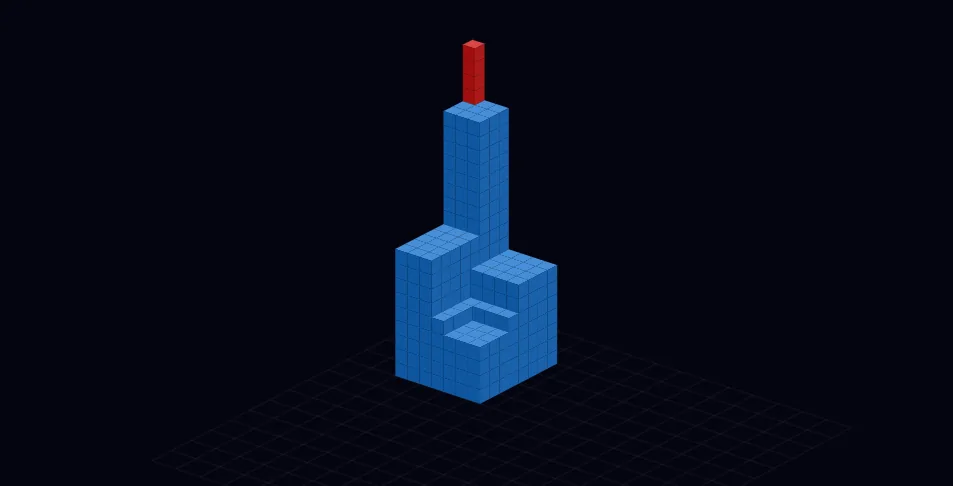
A stepped monument uses contrasting shapes and painted faces to create a bold sculptural silhouette.
A family of miniature skylines shares one palette while varying the height and density of each city.
What sets it apart
Create a scene out of blocks you can place, erase, shape, and paint. Build a miniature world, a skyline, a room, or a sculpture with control over its construction.
Start from a generated structure when you want a foundation, then edit it as your own build. Publish the finished scene so other people can explore it in 3D.
Supporting capabilities
Generated structures remain editable blocks, so a starting world can become a hand-finished scene.
Why use Block Builder?
Open Block Builder when this style of making or play feels closest to what you want.
It connects with the wider Panospace creative workflow, so results can keep evolving across compatible apps.
Inputs and exports
Supported inputs
Image sources
Direct block construction
Available outputs
Current-view PNG
Interactive 3D posts